


Delta by eToro
4.12.02K Reviews
App Specs
- Version
- 2026.1.1
- Updated On
- License
- Free
- Downloads
- 1,000,000+
- Developer
- Delta by eToro
- Categories
- Finance
- Platform
- Android, iOS
Screenshots
 Analysis by AppCompare
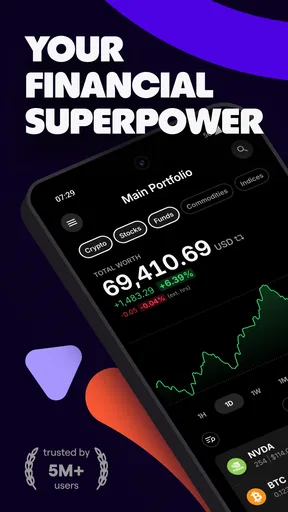
When I want a quick view of how different investments are doing without opening several separate accounts, I see the appeal of Delta by eToro. It’s a finance app focused on tracking a portfolio rather than replacing every service I use to buy or manage assets. That distinction matters: I’d treat it as a place to organize and review holdings, not as a shortcut to investment decisions. Its broad asset focus can make it useful for someone whose money is spread across stocks, funds, crypto, and other tracked assets.
A tracker, not a trading plan
The first question I’d ask before installing it is what I need the app to do. If I mainly want to see a consolidated picture of my investments, Delta is a better fit than checking each broker or exchange one at a time. If I’m looking for a place to execute trades, compare every available product, or get tailored financial advice, I’d use a dedicated service for that instead. Keeping those roles separate helps prevent a tracking screen from being mistaken for a recommendation.
That separation is also useful for people who are learning. A portfolio view can help me notice how different holdings contribute to the whole, but it cannot tell me whether a position suits my goals or how much risk I should take. I’d use the app to ask better questions—why one holding has moved, whether my mix is concentrated, or what I should verify with a primary source—rather than treating its numbers or social content as instructions.
Where a combined portfolio view helps
The practical advantage of a tracker becomes clearer when investments are scattered. I might hold a few long-term shares in one account, a fund elsewhere, and some crypto in a separate service. Switching between those places makes it harder to get a simple overview. A consolidated tracker can reduce that friction, provided I take care when entering or importing information and check that the holdings shown still match the underlying accounts.
Multiple portfolios can also help me keep different purposes distinct: for example, one view for long-term holdings and another for a small experimental allocation. That is an organizational choice, not a reason to invest more. Naming or separating portfolios around a real goal makes the overview more meaningful; splitting everything into too many tiny groups can instead make routine checks feel like bookkeeping.
Useful habits for everyday checks
I’d get the most value by deciding in advance when I actually need to look. For a long-term investor, a planned weekly or monthly review may be more useful than reacting to every movement. I can open the portfolio, check whether its overall shape still makes sense, and then leave it alone. Someone who follows markets more closely may prefer a different routine, but constant notification checking can turn a calm tracking tool into a source of distraction.
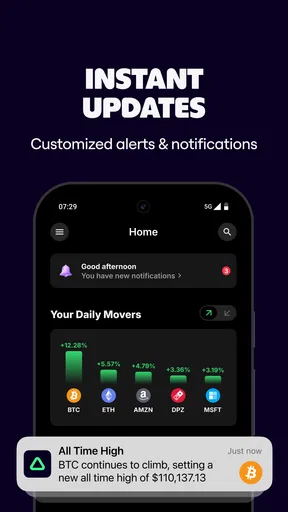
Alerts work best when they answer a specific question. Rather than setting a notification for every small price move, I’d choose a threshold that prompts a deliberate review, then decide beforehand what I’ll verify when it arrives. A price alert tells me that a price reached a level; it does not explain why, establish that the move will continue, or tell me what action to take. That distinction is especially important for volatile assets.
Worth Reading Before You Choose

EA SPORTS FC Mobile 26 Is a Bigger Football Game, but It Takes Time

Flipboard Shows What News Apps Must Do Beyond the Feed

Switching to Android Auto Means Rethinking Your Driving Routine

Google Calendar Makes a Crowded Week Easier to Manage

Ludo King Makes the Most of the Minutes Between Plans

Baby Panda World Brings Quick Play to Modern Phones, but Its Game Library Feels Busy
How it compares with the usual alternatives
Compared with a broker’s own portfolio screen, a dedicated tracker can be more convenient when I want to look across different kinds of holdings in one place. A broker, however, is the more direct destination for account-specific activity and transaction details. Compared with a spreadsheet, an app can make regular checking easier, while a spreadsheet offers more control over custom calculations and record keeping. Neither approach removes the need to verify figures against the original account.
Delta’s social and educational elements give it a different feel from a bare portfolio spreadsheet, but I would treat them as supporting material, not as a substitute for independent research. Other people’s holdings reflect their circumstances, timing, and risk tolerance. Their choices may be interesting to investigate, but copying them without understanding the reasoning is a poor way to use a tracking app.
First Impressions and Usability
Upon downloading the app, the first thing that struck me was the sleek and modern interface. It’s the kind of design that makes you feel like you’re dealing with something premium. Everything is laid out in a way that’s intuitive and easy to navigate. You don’t have to be a tech wizard to find your way around, which I really appreciate.
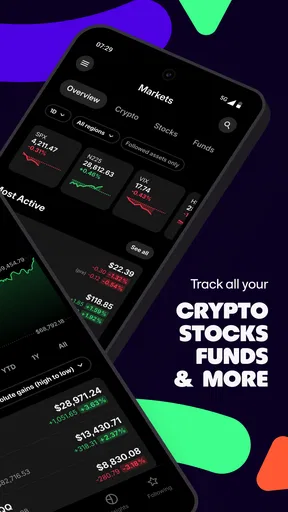
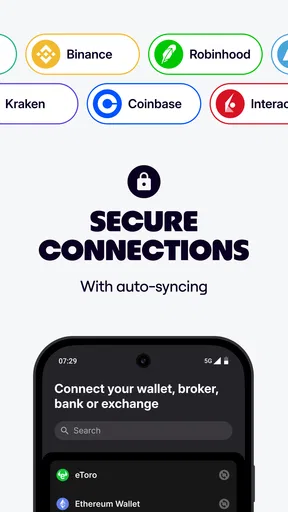
Setting up my portfolio was straightforward. The app supports a wide range of assets, from stocks and cryptocurrencies to ETFs and more. What’s cool is that you can track multiple portfolios if you like to keep your investments separate. The app also allows you to import your data directly from your broker, which is a huge time-saver.
Features that Stand Out
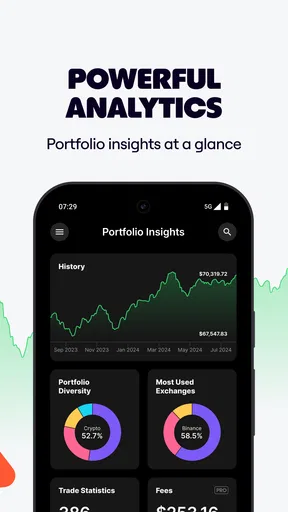
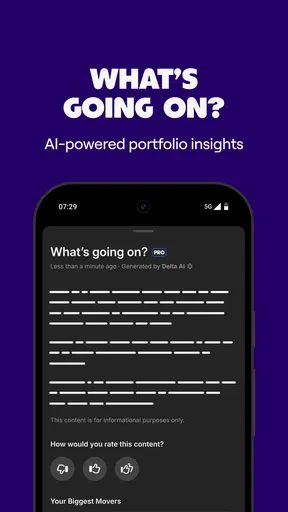
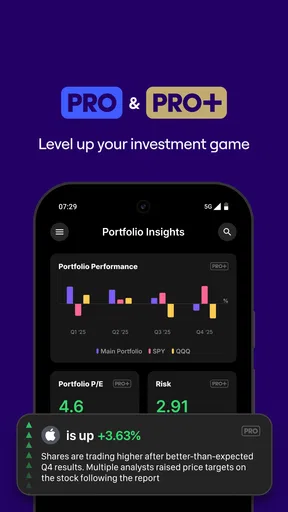
One of the standout features of Delta by eToro is its comprehensive analytics. You get access to real-time data, which is crucial for making informed decisions. The app’s insights section is filled with valuable information, and you can dive deep into the performance of individual assets or your entire portfolio.
Another feature I found impressive is the alerts system. You can set up personalized notifications for price changes, news updates, or even when a specific asset reaches a certain threshold. It’s like having your own personal market assistant keeping an eye on things for you.
Community and Learning
What makes this app a little different is its social aspect. You can connect with other investors, share insights, and even follow their portfolios. It’s a great way to learn from others, especially if you’re new to investing. The app also offers a news feed that keeps you updated on market trends and events, helping you stay ahead of the curve.
For those who like to dig deeper, there’s an educational section filled with articles and guides. It’s not overwhelming, but enough to give you a solid foundation if you're looking to expand your investment knowledge.
Performance and Reliability
When I think about speed, the important part of a finance tracker is whether I can get to a useful overview without fighting the interface. In my experience, moving between its sections has felt smooth. I wouldn’t read that as a promise that every data source will refresh instantly: market information and account details can depend on the source and connection, so I still check an underlying account before acting on a time-sensitive figure.
The app is most demanding in the ordinary sense when I’m doing several kinds of review at once: comparing portfolio views, opening asset details, checking news, and adjusting alerts. That is a heavier session than a quick glance, but it is also where the range of tools earns its place. My practical tip is to decide what I’m checking first—overall allocation, one holding, or an alert—rather than bouncing between every screen. It keeps the review focused and makes it less likely that a stream of market movement will dictate my attention.
In terms of performance, I found the app to be quite reliable. It runs smoothly without any noticeable lag, even when switching between different sections. Updates are frequent, ensuring that you’re always using the latest version with all the newest features and security patches. It’s clear that the developers are committed to maintaining a high-quality product.
As for reliability, I’ve never experienced any crashes or bugs during my time with the app, which is a big plus. It’s crucial for an investment app to be stable, as you don’t want to miss out on important updates or opportunities due to technical issues.
Keeping the numbers trustworthy
A portfolio tracker is only useful when its records stay aligned with reality. After an import or a manual change, I’d compare a few representative positions against the broker or exchange account: one holding with a recent transaction, one that has not changed, and any asset that is especially important to my overall view. This small spot-check is more practical than assuming the initial setup is perfect, and it helps catch a mismatch before I rely on a portfolio summary.
I’d also be careful about how I interpret performance. A displayed gain or loss is a helpful prompt for investigation, but it may not answer every personal accounting question I have. If I need formal records for taxes or a precise transaction history, I’d use the relevant provider’s statements and records rather than treating an overview screen as the definitive source. That is a sensible boundary for any tracker, not a reason to avoid one.
When access or attention gets interrupted
For a quick check during an ordinary day, I’d expect the app’s main value to be having the portfolio view and selected alerts together. If I’m away from the app or unable to check a notification, I would not assume that a missed alert means a holding is unchanged; I’d return to the relevant portfolio or primary account when I can. A notification is a convenience, not a complete monitoring service, and it cannot replace a personal routine for decisions that matter.
For example, imagine I’m on my way home and receive a threshold alert for an asset I follow. I can note the change, then review the asset’s context and my overall allocation when I have time, rather than making a rushed choice from a lock-screen message. That is where a tracker can be genuinely helpful: it brings my attention to a question, while leaving the decision to a calmer review.
Device fit and the cost of extra features
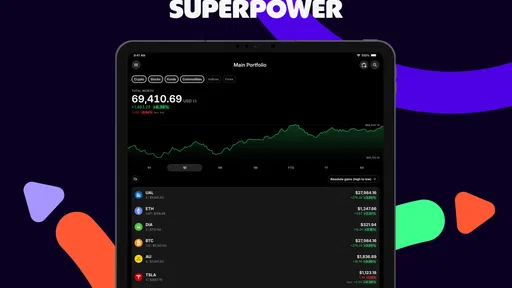
The app is listed for devices running Android 7.0 or later, so I’d check that before trying to install it on an older phone. On a device that meets that requirement, I’d still judge the experience by how comfortably I can read charts and portfolio details, not just by whether the app opens. A larger screen may make comparisons easier, while a phone is convenient for a quick glance; neither changes the need to verify important information at its source.
Delta is free to install, though it also offers in-app purchases, listed at prices from $6.99 to $107.99 per item. I’d start with the free experience and only consider an optional purchase after identifying a specific feature I genuinely need. The app is aimed at a general audience, but finance content still deserves adult judgment: younger users may benefit from learning how portfolios work, yet should not treat social posts, alerts, or market moves as instructions to invest.
It is developed by Delta by eToro and has a 4.1 average from around 31,000 ratings, with over 1 million installs. Those figures suggest it has found a sizable audience, but they are not a substitute for deciding whether its workflow suits me. The current version is 2026.1.0, and the app first appeared on September 23, 2017; what matters more in daily use is whether my own device, portfolio setup, and checking habits make the tool worthwhile.
Who I’d recommend it to
I’d recommend trying it if you already hold several kinds of investments, want a single place to review them, and are comfortable checking important details against your provider. It can also suit a beginner who wants to learn the language of portfolios and use a clear overview as a starting point for research. The best fit is someone who values organization and context more than executing frequent trades inside one service.
I’d skip it, or keep expectations modest, if I only have one simple account and its existing dashboard already answers my questions. It is also not the right tool if I want a guaranteed real-time trading feed, personalized investment advice, or a replacement for official statements. A spreadsheet may be preferable when I need highly customized calculations; a broker’s own app is better when the task is placing or managing a transaction. Choosing the narrower tool for the job can be more useful than collecting another dashboard.
Conclusion
All in all, Delta by eToro is a robust app that offers a comprehensive suite of features for tracking and managing your investments. From its user-friendly interface to its powerful analytics and community features, it’s designed to cater to both beginners and seasoned investors.
If you're looking for a tool to help you keep your finger on the pulse of your investments, this app is definitely worth considering. It’s like having a financial dashboard right in your pocket, and with the added bonus of a supportive community, it’s a win-win.
So, go ahead and give it a try. You might just find that it becomes your go-to app for all things investment-related.
Pros
- User-friendly interface and easy navigation.
- Comprehensive portfolio tracking features.
- Seamless synchronization across devices.
- Supports a wide range of cryptocurrencies.
- Customizable alerts for price changes.
Cons
- Limited free features compared to premium.
- Occasional sync issues reported by users.
- No direct trading through the app.
- Some data may not be real-time.
- Ads may be intrusive in free version.
FAQs for Delta by eToro
What features does Delta by eToro offer?
Delta by eToro provides a comprehensive suite of tools for tracking cryptocurrency investments. Users can monitor their portfolio in real-time, access detailed market analysis, and receive personalized alerts. The app also supports over 7,000 cryptocurrencies, offering a wide range of options for investors to explore and manage.
Is Delta by eToro suitable for beginners?
Yes, Delta by eToro is designed to be user-friendly, making it accessible for beginners. The app offers intuitive navigation and educational resources to help newcomers understand cryptocurrency markets. Additionally, its detailed analytics and easy-to-read charts assist in making informed investment decisions, regardless of experience level.
Are there any subscription fees for Delta by eToro?
Delta by eToro offers both free and premium versions. The free version provides basic tracking and analysis features, while the premium version, Delta PRO, includes advanced tools like unlimited exchange connections and comprehensive market insights. Users can choose based on their needs and budget, with the option to upgrade at any time.
How secure is Delta by eToro?
Security is a priority for Delta by eToro. The app does not require any sensitive personal information and allows users to set up a secure PIN or biometric authentication. Additionally, it offers encrypted data storage, ensuring that all portfolio information remains private and protected from unauthorized access.
Can I sync Delta by eToro across multiple devices?
Yes, Delta by eToro supports multi-device synchronization. Users can seamlessly switch between devices, such as smartphones and tablets, while keeping their portfolio data updated. This feature ensures convenience and flexibility, allowing users to track their investments anytime and anywhere without losing data.


